
Brief Summary
This video reveals 20 hidden features and tips for Tesla owners, covering autopilot enhancements, convenience features accessible via the Tesla app and Siri, safety functionalities, and customization options. It includes enabling hidden auto park, getting free full self-driving, unlatching doors via the app, accessing all cameras, and customizing scroll wheel functions.
- Enable hidden auto park by customizing summon settings.
- Use Tesla's referral program to get free Full Self-Driving (FSD).
- Access and control Tesla features using Siri.
- Customize scroll wheel functions for quick access to controls.
Intro
The video introduces 20 hidden Tesla features, promising some that are not widely known. The presenter thanks the video sponsor, accessoriesfortesla.com.
Hidden Autopilot
Tesla owners who have purchased or subscribed to Full Self-Driving (FSD) can access a hidden Auto Park feature. To enable it, navigate to settings, then autopilot, customize summon, and ensure "require continuous press" is set to "no." Then, press the parking button on the stock three times quickly to activate the hidden Auto Park.
Free Full Self Driving
There are two ways to get Full Self-Driving (FSD) for free through Tesla's referral program. Tesla owners can share their referral code, and when someone uses it to buy a Tesla, the referrer gets a minimum of 10,000 credits. These credits can be redeemed for Tesla accessories, clothing, upgrades, or three months of FSD, which costs 10,000 credits. Conversely, new buyers using a referral code receive $500 off a Model 3 or Y, $1,000 off a Model S or X, and three months of FSD.
Unlatch Doors
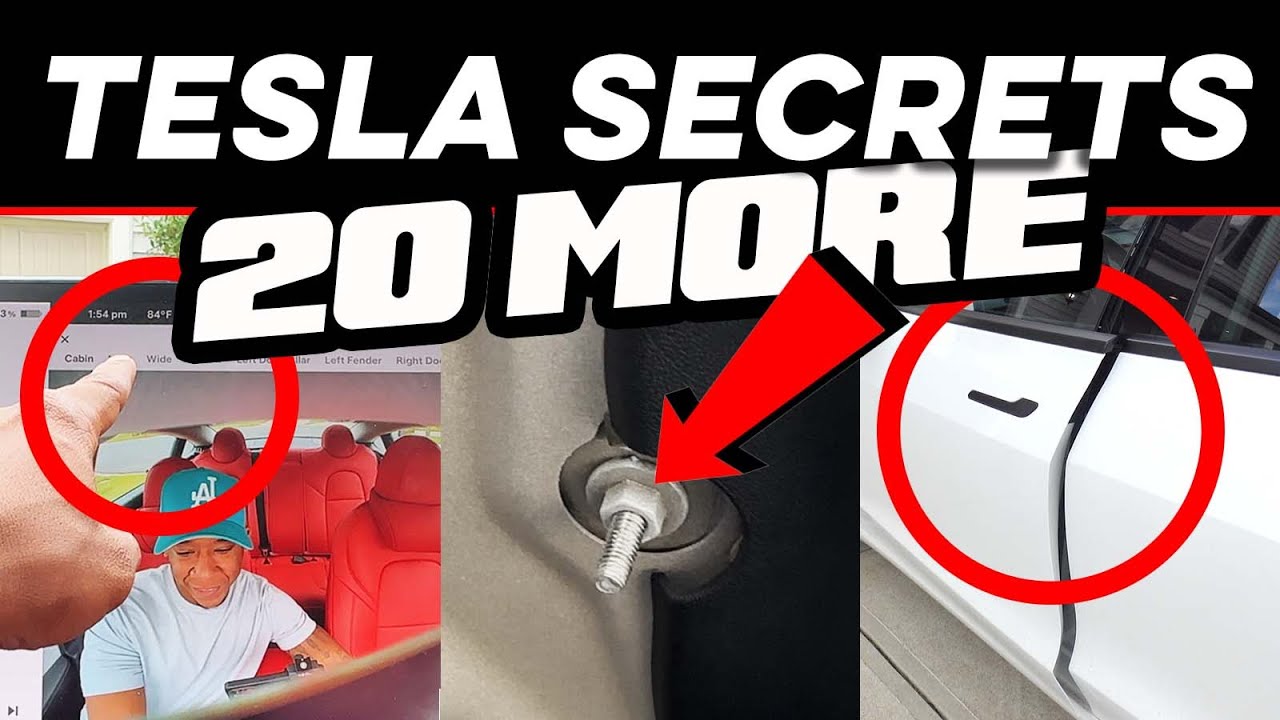
The Tesla app can be used to unlatch door handles that are stuck due to malfunction or ice. In the app, long-press on quick controls and select "unlock door" to unlock and unlatch the door.
5th Quick Control
In addition to customizing quick controls in the Tesla app, users can add a fifth quick control by pushing another control onto the edge of the screen.
Control Tesla with Siri
Tesla owners can control their vehicles using Siri. By asking Siri, users can check battery levels, honk the horn, and vent windows. To enable this feature, go to iPhone settings, then Siri & Search, scroll down to the Tesla app, and ensure all options are enabled.
Free Data Report
In the event of an accident, Tesla can provide a free data report containing information such as accelerator and brake position, area of impact, steering angle, steering torque, seat belt status, and autopilot/cruise control status. The report also includes footage from all cameras, including the front fisheye and side pillar cameras. A special link is required to request the report.
Access All Cameras
It is possible to access all Tesla cameras directly from the car. After ensuring the car is on the latest software update, go to settings, then service, and select "camera preview" to view every camera, including wide, narrow, and side pillar cameras.
Secret Menus
Teslas have a hidden service menu. To access it, go to settings, then software, and press and hold on the car model text for five seconds. Enter "service" as the access code. This menu contains a lot of information, but altering settings is not recommended.
Switch Gears in Motion
While in drive, you can switch gears to reverse (or vice versa) without coming to a complete stop, as long as you're traveling below 5 mph (8 km/h).
Blindspot Window Location
The location of the blind spot camera video feed can be changed by dragging it around the screen.
Trunk Hook
Model 3s have a screw underneath the top of the trunk on the right side that can be used with a grocery bag hook. This aluminum hook screws onto the existing screw, allowing users to hang grocery bags or other items. These hooks are available from accessoriesfortesla.com.
Battery Preconditioning
To ensure the fastest charging speeds at a supercharger, enter the supercharger's address into the navigation system. This preconditions the battery. If you navigate without entering it, the Tesla will charge at slower speeds while it preconditions the battery upon arrival.
Trip Planner
The Tesla app can be used to view nearby superchargers and plan trips. Tap on "location" in the app to see a list of superchargers, their charge rates, stall availability, price per kilowatt-hour, and amenities. Users can also plan a trip by entering a destination to see trip time, supercharger stops, and battery percentage upon arrival. The app allows scheduling a departure or arrival time and can send the navigation to the car.
Hidden Headrest
Model 3 and Model Y vehicles have hidden headrests that can be opened by sticking your hand in between the top portion and pushing up. The Model Y's headrest can also be adjusted. To put it back down, hold the button underneath and push it back down.
Model Y Reclining Rear Seats
The rear seats in the Model Y can recline using the same button used to fold them down. Push slightly backwards to recline them into two different positions.
Slip Start
If a Tesla is stuck in mud, snow, or ice, enabling slip start can help by turning off traction control to prevent wheel slip. This can be done by going to settings, then controls, pedals and steering, and tapping on the slip start toggle.
Remote Driving Access
In an emergency, remote access can be granted to someone to move the Tesla. This gives the person two minutes to get in the car before the doors lock.
Tesla App Climate Controls
All climate settings, including activating dog mode and defrosting the car, can be accessed directly from the Tesla app.
Lost Media Bar
If the media bar is swiped down, a gray square icon with a music note will appear in the app drawer. Tapping this icon will make the media bar reappear.
12-Volt Battery
Teslas have a 12-volt battery that can be accessed in the front by opening the front and removing the plastic cover behind the storage. This allows users to give someone a jump or provide power to something in an emergency.
Scroll Wheel Customization
The 2023.12 update added scroll wheel customization. By holding down the left scroll wheel, a pop-up menu appears, allowing quick access to controls such as acceleration mode, steering wheel heater, dashcam footage saving, brightness, defroster, fan speed, temperature, glove box, and dome lights. A default function can be set in settings under controls, display, and scroll wheel function.
Outro
The video concludes, encouraging viewers to share any other hidden features they know in the comments.

