
YouTube Summarizer & Transcript Generator
Summ turns any YouTube video into a 2-minute summary with key points and timestamps, plus the full transcript. Paste a link to open it here if it's in our library, or get it in the free app.
Works with YouTube videos, Shorts, podcasts and live replays
Tools for YouTube and articles
-
YouTube Transcript Generator
Paste a YouTube link to see the video and open its full transcript in the Summ app, with timestamps, TXT/SRT/VTT export and a 2-minute AI summary. Videos already in our library show their transcript right here.
-
YouTube Transcript Downloader
Save a YouTube video's transcript as a text file or a subtitle file. Paste the link to find the video, then open it in the Summ app and export TXT, SRT or VTT. No browser extension needed.
-
YouTube to Text Converter
Turn a YouTube video into text you can read, search and reuse. Paste a link to find the video, then get the spoken words as clean text in the Summ app.
-
AI YouTube Video Summarizer
Get the key points of any YouTube video in about two minutes of reading. Summ writes a structured summary with chapters and timestamps, so you can decide what's worth watching.
-
AI Video Summarizer
Turn an hour of video into a two-minute read. Summ's AI video summarizer pulls out the key ideas, facts and takeaways, with timestamps back to the source.
-
Turn YouTube Videos into Notes
Stop pausing and typing. Share a lecture or tutorial to Summ and get structured notes with headings, key points and timestamps, plus the full transcript.
-
The Eightify Alternative That Works on Your Phone
Eightify is best known as a browser extension. Summ is a mobile app for iPhone and Android: share a video from YouTube and get the summary in seconds, wherever you watch.
-
YouTube Timestamp Link Generator
Share a YouTube video that starts at the exact moment you want. Paste the link, type the time, and copy your timestamp link.
-
AI Article Summarizer
Turn a long article into a short summary with the key points. Share a web page to Summ from your browser, or paste the link, and read or listen to the summary in seconds.
-
A NoteGPT Alternative Built for Your Phone
NoteGPT is a web platform with many AI tools. If you mostly want YouTube summaries and transcripts on your phone, Summ is a simpler option: share a video from YouTube and get the key points in seconds.
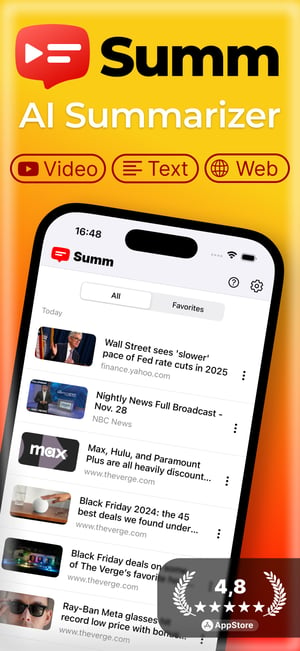
Summarize anything with the Summ app
YouTube videos, web articles or any text. Save 90% of your time without missing what matters.


Key features
Videos, articles and text
Summarize YouTube videos, web articles, or any text you paste.
Key points and timestamps
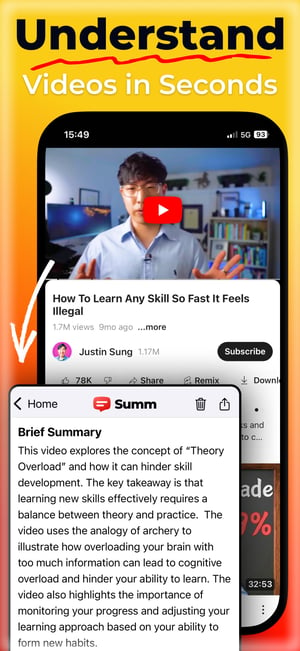
Short overview, bullet points and chapters that link back to the video.
Long videos
Multi-hour podcasts, lectures and livestreams, summarized in seconds.
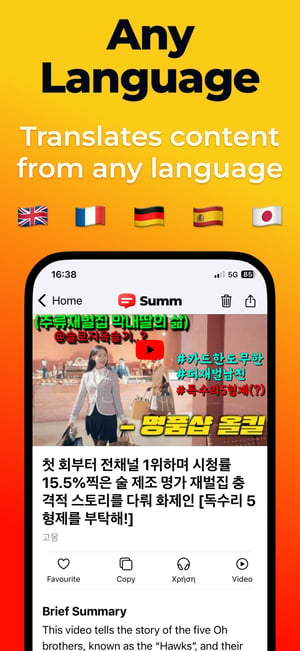
50+ languages
Summarize a video in one language and read it in another.
Smart library
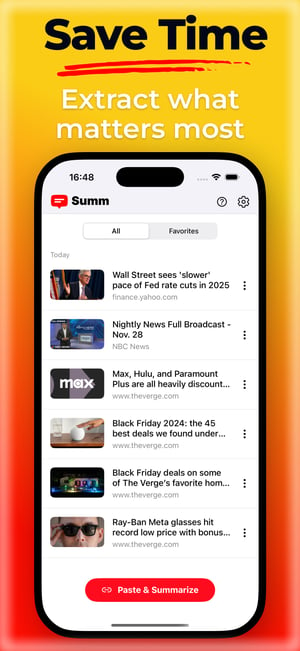
All your summaries in one searchable place.
Text-to-speech
Listen to summaries on the go.
Works offline
Read saved summaries without a connection.
Share from YouTube
Tap Share in the YouTube app and choose Summ.
How to summarize a YouTube video
- Copy the link of any YouTube video, Short or podcast episode.
- Paste it into Summ, or share it straight from the YouTube app.
- Read or listen to the summary, then jump to the moments you care about.
Only need the words? See the YouTube transcript generator. Want to see what a summary looks like? Browse the summaries library.
Latest YouTube summaries

Petra & Wadi Rum Jordan Travel Guide 4K

鄉下小伙進城竟睡了女總裁!隔天慘遭開除,誰知他竟是絕世神醫,無數美女搶著倒貼!#短剧 #逆袭

Real Sports with Bryant Gumbel | Sidelined: Youth Sports Injuries (Full Segment) | HBO

Get Grit | Pastor Ethan Boggs | Vibrant Church

2nd years Term 4 2 Week 3 Epistles

Molecular Orbital Diagram of BeH2 | Concept of LGO | CSIR Net | Gate
2ND PHASE PRIMARY TET INTERVIEW 2022 QUESTIONS DISCUSSION//প্রাইমারি টেট ইন্টারভিউ ২০২২ নিয়ে আলোচনা

They call It a Farmers League, But Look What It Creates
Guides
Frequently asked questions
What is Summ?⌄
Summ is an AI YouTube summarizer for iPhone, iPad and Android. Paste a link or share a video from YouTube and get a short summary with key points, chapters and timestamps. It also summarizes web articles and any text you paste.
How do I get the transcript of a YouTube video?⌄
Share the video to the Summ app, or paste its link there. Summ gives you the full text with timestamps, which you can export as TXT, SRT or VTT, plus an AI summary. If the video is already in our library, pasting it into the box on this page shows its transcript and summary right away.
Is Summ free?⌄
Yes. The app has a free plan with daily summaries, and every summary on summ.site is free to read. Premium adds unlimited summaries and longer videos.
Can Summ summarize long videos and podcasts?⌄
Yes. Summ handles multi-hour podcasts, lectures and livestreams, and splits the summary into chapters with timestamps.
Which languages are supported?⌄
Summ reads videos in most languages and can write the summary in more than 50, so you can summarize an English video in Spanish or a Japanese video in English.
How accurate are the summaries?⌄
Summaries are written from the video's full transcript, and each chapter links to its timestamp, so you can check anything important in the original.
Can I listen to summaries?⌄
Yes. Summ reads summaries aloud with text-to-speech, and saved summaries work offline.