
Brief Summary
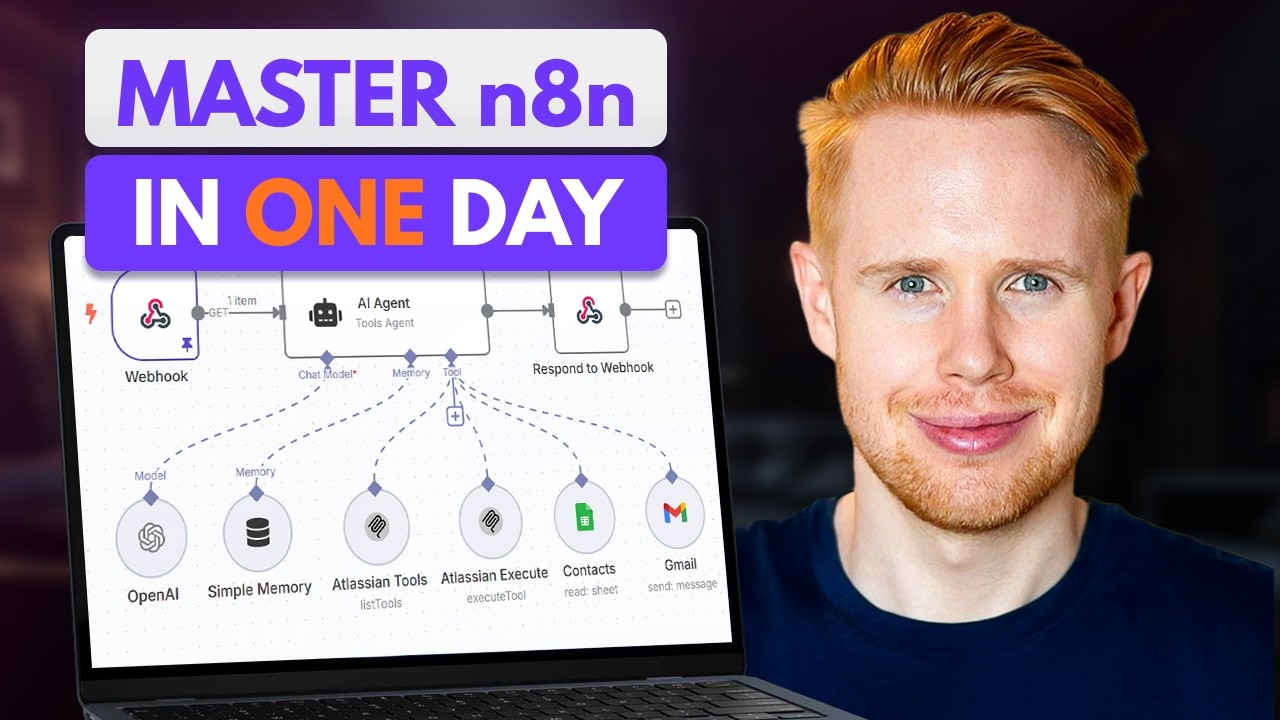
This video is a comprehensive masterclass on n8n, an automation platform that connects various applications. It promises to turn viewers into experts, regardless of their coding experience, by building 10 practical workflows. The video covers n8n fundamentals, building a new lead system, automating email invoices, web scraping with Indeed, handling PDFs and images, creating Google Sheets dashboards, using HTTP requests, building AI agents, implementing Retrieval Augmented Generation (RAG), developing an AI SaaS application with HTTP, error handling, and self-hosting n8n.
- N8N is an automation platform that connects various applications.
- The video promises to turn viewers into experts, regardless of their coding experience, by building 10 practical workflows.
- The video covers n8n fundamentals, building a new lead system, automating email invoices, web scraping with Indeed, handling PDFs and images, creating Google Sheets dashboards, using HTTP requests, building AI agents, implementing Retrieval Augmented Generation (RAG), developing an AI SaaS application with HTTP, error handling, and self-hosting n8n.
Intro
The video introduces n8n as an automation platform that connects various applications, enabling them to communicate with each other. It highlights the difficulty many users face when trying to learn n8n and promises to make viewers complete experts through practical, step-by-step workflows. The video aims to save users more time than they invest in learning the platform.
Overview
N8n automates applications, allowing them to communicate. Use cases include automating Gmail inboxes, drafting Google Docs, generating AI blocks, and organizing Google Drive. A system generated 1,500 clicks daily, leading to leads and revenue. An AI agent can extract data from Telegram messages, such as receipts and invoices, and input it into Google Sheets.
Example & Opportunity
Automating tasks with n8n can significantly reduce workload, potentially replacing the need for numerous full-time employees. This automation can lead to business scaling and increased revenue. Learning n8n can also open doors to new job opportunities, promotions, and raises in the AI automation space. The video will focus on n8n fundamentals through practical workflow examples, requiring no prior coding skills and costing nothing to implement.
n8n Fundamentals
The video transitions to an incognito window to mimic a new user experience on n8n. It highlights the free trial option and mentions self-hosting as a way to bypass limitations of paid plans. The video guides viewers through the account creation process, emphasizing the importance of remembering the account name for login purposes. It explains the difference between personal folders and projects, noting that projects allow for collaborative workflow building with coworkers. The video touches on inviting users to an account through settings and focuses on starting a workflow from scratch, briefly discussing the AI-assisted build feature before advocating for manual workflow creation to understand core fundamentals.
New Lead System
The video begins building a new lead system to increase conversion rates by contacting leads within 60 seconds of their inquiry. The system involves a form submission triggering actions such as adding the user to Google Sheets, sending an email notification, and emailing a calendar link. The process starts by adding a "form submission" trigger, configuring the form with elements like full name, email, service, and budget. The video explains how to preview the form, execute the step, and view the submitted data in table, schema, and JSON formats.
Email Invoice
The video transitions to building a new workflow for managing email invoices, emphasizing its potential to save time. It starts by creating a trigger using the "on message received" event in Gmail. The video explains the difference between instant and polling triggers, noting that Gmail uses polling. It discusses the importance of setting appropriate polling times to avoid exceeding workflow execution limits on the free plan. The video also covers the "simplify" option, recommending it be turned off to ensure all email data is retrieved.
Indeed Web Scraping
The video introduces web scraping as a method to gather data from platforms like Indeed, using Apify. It explains how to automate the process of finding AI automation service requests on Upwork, including extracting job details and using AI to score and generate proposals. The video then pivots to discussing data types within n8n, including string, number, boolean, array, object, and binary, setting the stage for a deeper understanding of how to manipulate and process scraped data.
PDF + Image
The video explains data types in n8n, including string, number, boolean, array, object, and binary. It describes how to identify each data type within n8n and provides examples of their use. The video then introduces the concept of a filter, explaining how to remove items matching a condition, such as filtering leads based on budget. It details how to edit pinned data to overcome filters and continue building workflows with appropriate sample data.
Google Sheets Dashboard
The video continues building a new lead system workflow, adding a Gmail node to send email notifications for new leads. It explains how to create a credential to connect n8n to a Gmail account and customize the email message, including removing the n8n attribution. The video then introduces the "if" node to create conditional paths based on the service requested (SEO or ads), demonstrating how to tailor email content accordingly. It also covers duplicating nodes, using functions to manipulate data (e.g., removing the last name from a contact), and merging data from different paths using the merge node.
HTTP Requests
The video explains how to update existing rows in Google Sheets, using email as a unique identifier. It introduces functions within fields, using an if statement to determine if a lead is rejected based on their budget. The video reflects on the concepts covered, including triggers, actions, data manipulation, conditional statements, merging data, and updating Google Sheets. It transitions to the second workflow, focusing on building an email management system.
AI Agents
The video introduces the concept of AI agents, distinguishing them from AI workflows. It describes AI agents as AI employees that can think autonomously and reason on their behalf, following standard operating procedures and utilizing tools to perform tasks. The video outlines when to use AI agents versus traditional workflows, suggesting AI agents are best suited for tasks requiring autonomous decision-making and complex order of operations.
RAG
The video begins building an AI agent, starting with a chat trigger and adding an AI agent node. It explains the three components of an AI agent: a chat model (brain), memory, and tools. The video then discusses how to claim free OpenAI credits and set up credentials for OpenAI, including obtaining an API key. It also covers the system message, which provides instructions to the AI agent, and the user message, which provides the input.
AI SAAS + HTTP
The video explains how to use functions inside n8n without coding, using chat GPT to generate code for tasks like removing the last name from a contact. It then discusses how to duplicate nodes, edit data, and use functions to manipulate data. The video transitions to building an AI SaaS application, starting with a form submission trigger and using Lovable to build the app's UI. It emphasizes the importance of structuring data properly for both input and output between Lovable and n8n.
Error Handling
The video discusses common error handling techniques in n8n, including addressing credential errors, data type errors, and undefined errors. It explains how to use the "convert types where required" option to resolve data type mismatches and how to remap variables to fix undefined errors. The video also covers how to handle invalid JSON by using chat GPT to fix syntax errors and how to implement timeouts to prevent workflows from running indefinitely.
n8n Self Hosting
The video discusses pricing options for n8n, including self-hosting on platforms like Hostinger to bypass limitations of the free plan. It compares the cost, setup time, and maintainability of self-hosting versus using n8n's cloud service. The video recommends Hostinger as a cost-effective option and provides instructions on how to set up n8n on Hostinger.
Conclusion
The video concludes by encouraging viewers to explore the Jono Catliff school community for further learning and support. It highlights success stories of community members who have used n8n to automate their businesses or create automation agencies. The video also mentions the availability of free resources on the Jono Catliff YouTube channel.

