
Brief Summary
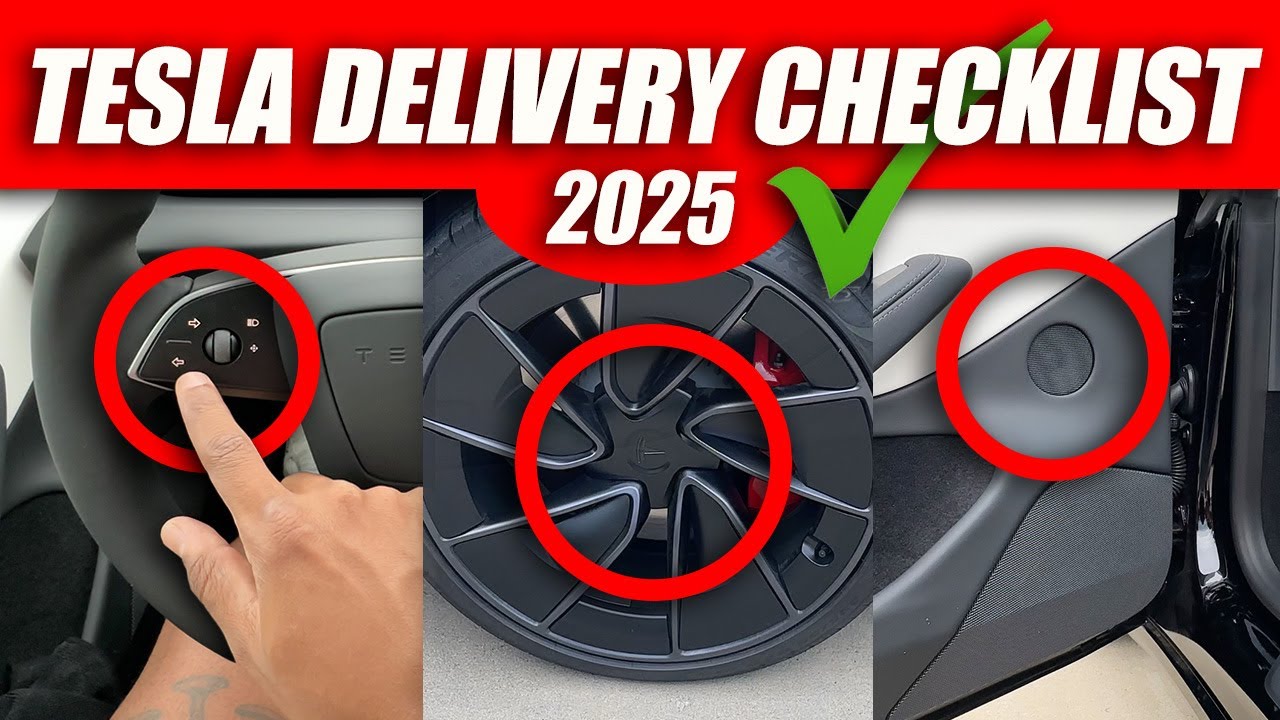
This video provides a comprehensive checklist for new Tesla owners, particularly those picking up the refreshed Model 3 Highland, to ensure a smooth and satisfactory delivery experience. It covers pre-delivery paperwork verification, detailed exterior and interior inspections, connectivity checks, lighting and charging inspections, and final steps to complete before driving off the lot. The guide emphasizes addressing any issues at the Tesla store to guarantee complete satisfaction with the new vehicle.
- Verify paperwork and payment confirmation before inspection.
- Conduct thorough exterior and interior inspections for defects.
- Check all connectivity features, lights, and charging capabilities.
- Ensure all accessories are included and paperwork is complete before confirming delivery.
Intro
Mike Seuss introduces an updated delivery checklist for new Tesla owners, especially those receiving the refreshed Model 3 Highland. The video aims to help new owners thoroughly inspect their vehicles to avoid unpleasant surprises and ensure satisfaction before leaving the Tesla store. A downloadable checklist is available in the video description.
Verify Pre-Delivery Records
The first step is to verify the accuracy of all paperwork, including name, address, and VIN number, which can be found on the windshield and inside the driver's door. Confirm that the payment has been received and documented correctly, including the total amount or down payment. Ensure you have proof of insurance ready before picking up the Tesla, ideally by obtaining it as soon as the VIN is emailed to avoid delays at the store.
Exterior Inspection
Inspect the paint quality by walking around the vehicle and looking for scratches or defects. Examine panel gaps between doors and fenders to ensure they are even and properly aligned, which indicates good assembly quality. Check all four rims for scratches and ensure air caps are present on each tire, also verifying tire tread, pressure, and condition. Inspect all glass surfaces, including the windshield, side windows, and roof, for chips, scratches, or distortions, and ensure the glass is clear. Verify that the rubber trim around all windows is intact and securely attached to prevent water leaks and noise. Test each door, the frunk, and the trunk to ensure they open and close smoothly. Inspect the headlights, taillights, and indicators for any condensation or fogging inside the light housings.
Interior Inspection
Check the condition of all leather and upholstery surfaces, including seats, center console, and roof pillars, for wear, stains, or defects. Test all seat belts, including rear and middle ones, to ensure they extend and retract properly without locking unnecessarily. Operate the power adjustments on the front seats to verify they move smoothly in all directions. Fold down the back seats to ensure they function correctly and lock back into place securely. Check that the back seat cushions are securely attached by lifting them slightly to ensure they are properly locked in place.
Connectivity Check
Check the front touchscreen for any error messages and test the rear view and side cameras via the camera button on the dashboard. Verify the AC and heat work at full power without strange noises by adjusting the climate settings on the touchscreen. Test the responsiveness of the 8-inch rear touchscreen, ensuring backseat passengers can control climate, audio, and entertainment features without lag. Confirm that the touch control buttons on the steering wheel for turn signals and gear selection are responsive and functioning correctly. Test the windshield wipers and the horn. Use a phone charger or USB-powered device to test all USB-C or USB ports to ensure they provide power. Test the 12-volt power outlet with a compatible device. If your phone supports wireless charging, test both wireless charging pads. Play music from various sources to test the audio system, adjusting balance and fader settings to ensure all speakers function correctly. Test both Tesla key cards by swiping them against the B pillar to ensure they unlock the car. Download the Tesla app and ensure it connects to your vehicle, allowing you to unlock, start, and control your car using your phone.
Lighting Inspection
Check the vanity mirror lights, overhead lights, rear side lights, footwell lights, door pocket lights, and puddle lights inside the car. Verify that all buttons on the doors and steering wheel are illuminated correctly. Open both sections of the center console and the glove box to check their interior lights. Ensure the small lights on the steering wheel are functioning. Test the headlights (low and high beams), fog lights, turn signals, rear lights, and brake lights to ensure they all work properly. Check the ambient lighting on the dashboard and front and rear doors, testing different colors and intensities via the touchscreen to ensure the system responds correctly.
Charging Inspection
Ensure the charging door opens and closes correctly and that the indicator light functions as it should. If possible, plug the Tesla into the dealership's charger to confirm it is charging properly. Verify that the mobile or wall charger and any necessary adapters are included in the delivery if you added them.
Final Steps
Ensure your car is marked as delivered in the Tesla system only after you are completely satisfied with your inspection. Obtain copies of all paperwork, including payment receipts, VIN number documents, and signed agreements, for future reference. Consider purchasing must-have Tesla accessories like a screen protector and floor mats to enhance practicality, customize the car's appearance, and protect it.
Conclusion
The video encourages viewers to like and subscribe for more Tesla content.

