
Brief Summary
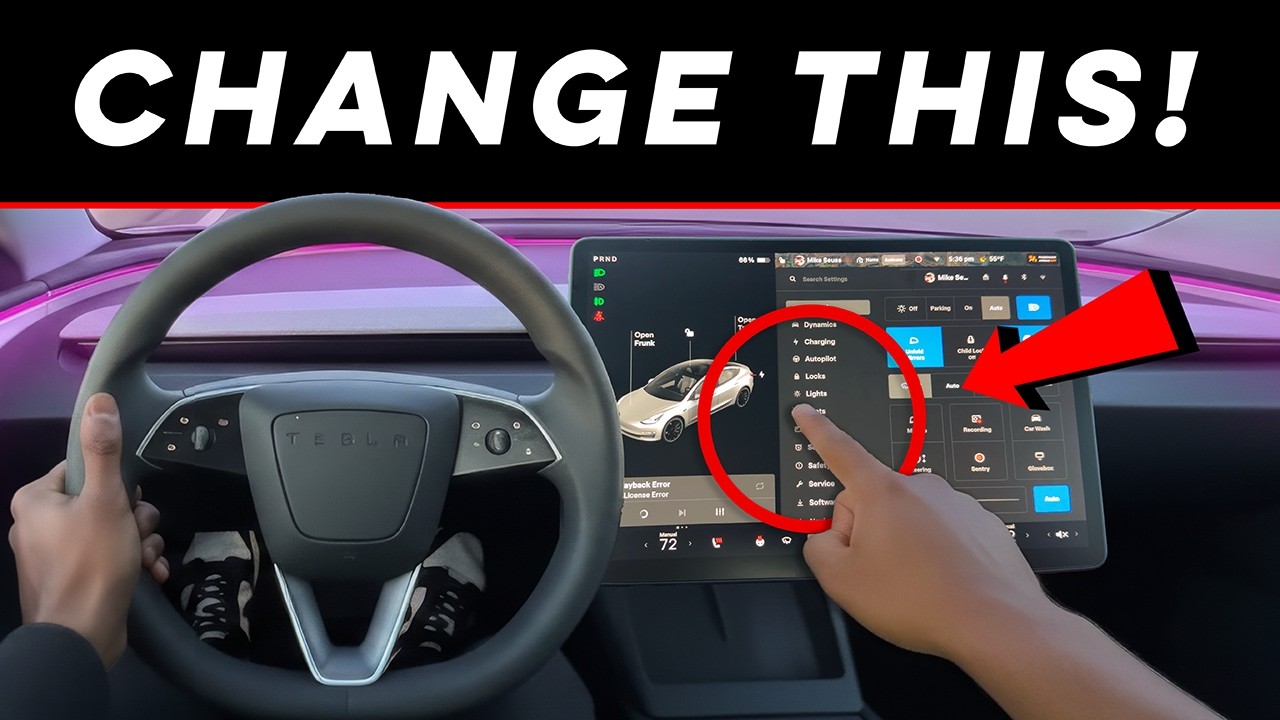
This video provides a comprehensive guide to essential Tesla settings that owners should adjust to optimize their driving experience. It covers settings related to driving feel (steering, regenerative braking), safety and alerts, climate control, charging behavior, security, and software updates. By customizing these settings, drivers can improve comfort, efficiency, and overall satisfaction with their Tesla.
- Adjust steering mode for a more natural feel.
- Customize regenerative braking for smoother deceleration.
- Configure climate settings for optimal cabin comfort.
- Set appropriate charging limits to prolong battery health.
- Enable dashcam and configure Sentry Mode for security.
Intro
Mike Seuss introduces the video by highlighting that Tesla's default settings are not always optimal for comfort, efficiency, or safety. He emphasizes the importance of customizing these settings, especially for owners of Model 3 Highland or Model Y Juniper, to improve the overall driving experience. The video aims to guide viewers through the most crucial settings to change immediately.
Steering Mode
The first setting to adjust is the steering mode. Tesla's default steering setting may not feel natural for all drivers. Changing this setting adjusts the heaviness or lightness of the steering, particularly at highway speeds. Testing the different options and selecting the one that feels most stable and predictable can significantly improve the car's handling and make it feel more normal.
Regenerative Braking
Regenerative braking is another critical setting that affects how the car slows down when the accelerator is released. If the regenerative braking feels too aggressive or not strong enough, it can make driving unpleasant. Adjusting this setting allows drivers to fine-tune the deceleration to feel smooth rather than jerky, enhancing the overall driving experience.
Automatic Emergency Braking & Alerts
The safety menu contains alert settings that should be reviewed and customized. Tesla enables many warnings by default, some of which may be useful while others can be overly aggressive. Customizing these alerts ensures that drivers are informed without being constantly distracted or annoyed by unnecessary warnings. The goal is to find a balance that enhances safety without causing undue distraction.
Speed Assist Behavior
Speed Assist allows drivers to choose how Tesla warns them about speed limits, whether visually, audibly, or not at all. This setting can be particularly useful or annoying depending on the frequency of speed limit changes in the driving area. Configuring Speed Assist to work effectively for the driver, rather than against them, can improve the overall driving experience.
Climate Auto Behavior
Tesla's climate system is powerful, but its default behavior may not be ideal for everyone. Adjusting how aggressively the system responds can make a significant difference in cabin comfort and noise. Some drivers may prefer a slower, quieter response, while others may want instant cooling or heating. Customizing this setting can greatly improve the comfort of the cabin.
Cabin Overheat Protection
Cabin Overheat Protection is enabled by default, but its settings should be adjusted based on the climate. Drivers can choose whether the system uses just the fan, the air conditioning, or turns off entirely. This setting significantly affects battery usage, so selecting the appropriate behavior is important for optimizing energy consumption.
Seat Heating and Cooling Preferences
For Teslas with heated or ventilated seats, customizing their behavior is essential. Drivers can choose whether they turn on automatically or manually. Leaving the default settings can lead to unnecessary battery use or discomfort. Personalizing these preferences ensures optimal comfort and energy efficiency.
Steering Wheel Heating
Similar to seat heating, drivers should decide whether they want the steering wheel heating to be automatic or manual. This small adjustment can greatly enhance comfort during winter driving when set correctly.
Screen Brightness and Auto Behavior
Tesla's screen brightness settings are often overlooked, but they are important for reducing eye strain. Adjusting how the screen responds to lighting conditions ensures it is not too bright at night or too dim during the day. This improves visibility and reduces eye strain, especially during nighttime driving.
Dark Mode Scheduling
Enabling automatic light and dark mode switching, if supported, makes the interface easier to read and reduces glare, particularly during night drives. This feature enhances the visual experience and minimizes eye strain.
Quick Controls Customization
Tesla allows customization of the quick access area, but many owners never utilize this feature. Placing frequently used controls in this area saves time and eliminates the need to navigate through menus constantly. This small change can significantly improve the convenience of daily driving.
Driver Profiles
Setting up driver profiles correctly is crucial for a personalized driving experience. Profiles control seat position, mirror settings, steering wheel position, climate preferences, and more. When properly configured, the car feels tailored to whoever is driving.
Phone Key Behavior
Confirming that walkaway locking works consistently is important for convenience and security. Testing it multiple times and adjusting phone connection settings or phone placement in the car can prevent frustrating moments when the car doesn't unlock as expected.
Mirror Auto-Fold and Tilt
Auto-folding mirrors are useful in tight spaces, and mirror tilt in reverse can aid with parking. However, not everyone prefers these features. Setting them once and ensuring they function as desired means never having to think about mirror adjustments again.
Daily Charge Limit
Setting the daily charge limit intentionally, typically around 80% for most drivers, is crucial for long-term battery health. Relying on guesswork can negatively impact the battery over time. This simple setting can significantly extend the lifespan of the battery.
Location-Based Charging Limits
Enabling location-based charge limits, if supported, allows the car to behave differently at home versus on road trips. This newer charging feature simplifies the charging process and makes it more intuitive.
Scheduled Charging and Departure
Setting up scheduled charging or scheduled departure, especially for those who charge at home, can save money on time-of-use electricity plans and ensure the battery is ready when needed. This is an easy way to save money without altering daily routines.
Scheduled Charging and Departure
Setting up scheduled charging or scheduled departure, especially for those who charge at home, can save money on time-of-use electricity plans and ensure the battery is ready when needed. This is an easy way to save money without altering daily routines.
Dashcam Recording
Ensuring that the dashcam is enabled and recording properly is crucial for protection from day one. Many owners neglect to verify this setting, which can be a significant oversight. Checking it only takes a few seconds and can save considerable trouble later.
Notification Preferences
Tesla sends numerous notifications by default, and it's important to turn off the ones that are not needed. This prevents important alerts from being overlooked. Cleaning up notification preferences ensures that only relevant alerts are noticed.
Update Preferences
Setting software updates to "Advanced" ensures that new features are received sooner rather than later. This simple change keeps the Tesla feeling new and up-to-date long after purchase.
Outro
Mike Seuss concludes by reiterating the importance of adjusting these Tesla settings to improve the overall driving experience. He encourages viewers to like and subscribe to the channel and to share which Tesla model they are driving. He also provides links to Tesla accessories and comfort upgrades mentioned in the video.

