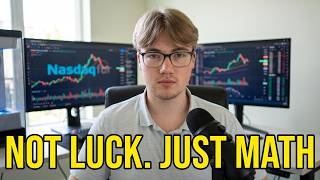
The BEST Futures Trading Setups from Beginner to Advanced Trading

Jason Niehoff www.youtube.com

Kurze Zusammenfassung

Das Video behandelt die Entwicklung eines optimalen Trading-Setups, angepasst an den jeweiligen Fortschritt des Traders. Es beginnt mit der Entkräftung unrealistischer YouTube-Darstellungen von Trading-Setups und betont, dass ein einfacher Laptop für Anfänger ausreichend ist. Mit zunehmender Erfahrung und Komplexität der Trading-Strategien kann das Setup schrittweise erweitert werden. Wichtig sind dabei ausreichend RAM und eine Grafikkarte, die mehrere Monitore unterstützt. Der Fokus sollte immer auf der Verbesserung der "Ease of Execution" liegen, wobei das Setup den Trading-Prozess erleichtern und nicht behindern soll.

  • Anfänger benötigen lediglich einen Laptop mit ausreichend RAM und einer Grafikkarte, die mehrere Monitore unterstützt.
  • Mit zunehmender Erfahrung und Komplexität der Strategien kann das Setup schrittweise erweitert werden.
  • Das Ziel ist die "Ease of Execution", wobei das Setup den Trading-Prozess erleichtern soll.

Unrealistische Trading-YouTube-Videos

Viele Trading-Videos auf YouTube vermitteln ein unrealistisches Bild von dem, was für ein erfolgreiches Trading-Setup erforderlich ist. Oft wird der Eindruck erweckt, dass man ohne teure und aufwendige Ausrüstung nicht erfolgreich sein kann. Der Fokus liegt oft auf Klicks und nicht auf der Realität. Einsteiger sollten sich nicht von diesen Darstellungen entmutigen lassen, da ein einfaches Setup oft völlig ausreichend ist, um die Grundlagen zu erlernen und eine profitable Strategie zu entwickeln.

Mein allererstes Trading-Setup (Anfänger)

Das erste Trading-Setup des Sprechers bestand aus einem einfachen Laptop. Für Anfänger, die sich auf das Erlernen von Preisbewegungen, technische Analysen und das Üben im SIM-Modus konzentrieren, ist ein Laptop völlig ausreichend. Es ist wichtig, sich auf einen einzigen Markt zu konzentrieren und nicht von komplexen Setups ablenken zu lassen. Ein kabellose Maus ist jedoch unerlässlich, da das Traden mit einem Trackpad sehr schwierig ist.

Zwei Computer-MUST-HAVES

Unabhängig davon, ob man einen Laptop oder einen Desktop-Computer verwendet, gibt es zwei wichtige Hardware-Anforderungen: Mindestens 16 GB RAM und eine Grafikkarte, die zwei externe Monitore unterstützt. Mehr RAM ist immer besser, um die zukünftige Nutzung mehrerer Plattformen zu gewährleisten. Es wird empfohlen, den Trading-Computer ausschließlich für Trading-Aktivitäten zu verwenden und persönliche Aufgaben auf einem separaten Gerät zu erledigen.

Wann man sein Setup erweitern sollte

Ein Upgrade des Setups ist dann sinnvoll, wenn man sich bei der Analyse eingeengt fühlt und mehr als ein Chart oder mehrere Märkte gleichzeitig beobachten möchte. Dies ist ein Zeichen dafür, dass die Fähigkeiten und die Analyse reifen. Der Sprecher erweiterte sein Setup nach zwei bis drei Jahren um einen zusätzlichen Bildschirm.

Mein zweites Trading-Setup (Mittelstufe)

Das zweite Setup des Sprechers umfasste einen Laptop mit einem zusätzlichen Bildschirm. Zu diesem Zeitpunkt analysierte er drei verschiedene Charts: einen Tick-Chart, einen 60-Minuten-Chart und einen Tages-Chart. Obwohl er die zusätzliche Bildschirmfläche schätzte, wäre es ideal gewesen, von Anfang an eine Grafikkarte zu haben, die zwei externe Monitore unterstützt.

Warum es nicht genug war

Obwohl das zweite Setup eine Verbesserung darstellte, war es nicht ideal, da der Sprecher drei Charts analysierte und nur zwei Bildschirme zur Verfügung hatte. Dies führte zu einer erschwerten Ausführung seiner Trades.

Merke dir das

Der Begriff "Ease of Execution" ist entscheidend. Alle Komponenten des Setups, von den Monitoren über die Tastatur bis hin zu den Hotkeys, sollten die Ausführung der Trades erleichtern. Wenn die Ausrüstung den Handel erschwert, ist es Zeit für eine Veränderung.

Luxus vs. Notwendigkeit

Mit zunehmender Erfahrung wächst auch die Trading-Checkliste, einschließlich der Anzahl der Märkte, Zeitrahmen und des Kontexts, die verfolgt werden müssen. Mehrere Bildschirme können ein Luxus sein, aber sie werden zur Notwendigkeit, wenn man eine umfassende Checkliste effizient verwalten möchte. Um festzustellen, wie viele Bildschirme man benötigt, sollte man sich fragen, was man auf jedem Bildschirm anzeigen würde, wenn man sie hätte. Wenn man einen klaren Plan hat und sich der Prozess dadurch erleichtert, ist es Zeit für ein Upgrade.

Mein aktuelles Setup (Fortgeschritten)

Das aktuelle Setup des Sprechers besteht aus vier Monitoren: einem für einen Tick-Chart, einem für einen 60-Minuten-Chart, einem für einen Tages-Chart und einem für den VIX. Um dies zu ermöglichen, musste er auf einen Desktop-Computer mit einer leistungsstarken Grafikkarte umsteigen. Er verwendet auch einen Stehtisch, eine kabellose Tastatur und eine kabellose Maus mit programmierbaren Tasten. Obwohl er nicht mehr mobil ist, kann er sein Setup über Programme wie TeamViewer fernüberwachen.

Überprüfung

Zusammenfassend lässt sich sagen, dass Anfänger sich keine Sorgen um ein Multi-Screen-Setup machen sollten, sondern sich auf einen Laptop mit ausreichend RAM und einer Grafikkarte konzentrieren sollten. Mit zunehmenden Fähigkeiten und dem Gefühl, eingeengt zu sein, ist es Zeit für ein Upgrade. Dabei spielen auch finanzielle Aspekte eine Rolle, aber es gibt kreative Lösungen wie kabellose Monitore.

Outro

Der Sprecher bietet ein kostenloses Beratungsgespräch an, um über Trading-Setups oder andere Trading-Themen zu sprechen. Er ermutigt die Zuschauer, das nächste Video anzusehen und den Kanal zu abonnieren, um bessere Trader zu werden.


Fasse jedes YouTube-Video in Sekunden zusammen

Hol dir Zusammenfassungen wie diese für jedes Video, in deiner Sprache, mit der kostenlosen Summ-App.

Laden im App Store
Jetzt bei Google Play

Transkript

Vollständiges Transkript von „The BEST Futures Trading Setups from Beginner to Advanced Trading“. Klicke auf einen Zeitstempel, um das Video an dieser Stelle zu öffnen. Du brauchst ein anderes Video? Nutze den YouTube-Transkript-Generator.

0:00 Now, if you're looking at these screens next to me and wondering, "Do I really need four monitors to trade futures profitably?" Stay tuned because today I'm going to show you the best futures trading setup for you based on exactly where you are in your trading journey. I'm Jason. I'm a futures trader. I'm a trading coach, a father of two. I own zero Lambos, but [music] I've been trading futures profitably for over 6 years. And my setup has evolved right alongside my skill set. And by the end of this video, you'll know how to build an entire trading setup that matches your current skill level, where spending money actually helps, and how to tell if your setup is preventing you from trading at the level [music] you're capable of. Now, first, I want to cover something because trading YouTube spaces can be tough. Now, you can get some good information, but there's just so much flash all the time. Now, I think it'd be easy to believe that if you don't have what every trading guru claims [music] to have, that you're somehow behind or not a good trader. And it's just simply

0:45 not the case. I think for a lot of people, clicks are the goal. Clicks do not always equal reality. And I think that can show up with our trading setups here pretty easily. Like if you don't have 164in curved ultra thin monitors, a custom desk, and a studio backdrop, that you're somehow missing something. But you're not. None of those things are wrong or whatever. It's just unrealistic and it becomes kind of a trophy [music] trading desk, which to me, if you're starting out, for sure, is a waste of time, money, and space. So if you are just starting out and you're doing the right things early on, focusing like learning the markets, building a repeatable process, and executing cleanly, this is all you need. This was my very first trading setup. One simple laptop. I still have it today. Look at this little guy. Now, at this point, when I started out and just had this machine, I didn't care about a desk and I liked being mobile. So, a laptop was great for me. Now, one thing you need to do if you get a laptop is get a wireless

1:32 mouse. There's nothing worse than trying to trade with a trackpad on a laptop. It's the [music] worst. So, don't do that. Either way, one laptop is absolutely enough for what matters early on. Now, if you're starting the way I recommend you start, which is focusing on learning price action, technical analysis, repping your trades on SIM, and just focusing on a single market, then laptop's great. And the only thing I was analyzing at first when I started was one tick chart of one single market. So, if you're even thinking about becoming a futures trader or you're just getting started, don't look at these setups like this one or the other ones on YouTube and assume that you need it to begin cuz you really don't. And honestly, it's just going to get in your way. It's too much for at first. So, and I've said it before and I'll say it again, simplicity is your edge in the market. And even when I did introduce like larger time frame charts to my system, I hadn't got to the point yet

2:17 where I needed them displayed at all times like I do now. So, one screen was perfect to start and it stayed that way for a year and a half to 2 years. There are a couple of very important rules though, two things that I want to make sure that your computer has, whether it's a desktop or a laptop, and those are at least 16 gigs of RAM and a graphics card that supports two external monitors. So, let's start with the RAM. It needs to be 16 gigs at minimum and the more the better to be honest. The higher the RAM it allows you to future proof your machine assuming that eventually you're going to be running multiple platforms which is what I do now. Okay. So the more memory you have dedicated to your platform the much smoother it's going to run. It's going to make sure that your data loads smoothly and quickly. Also keep your personal tasks separate from this machine. Dedicate your trading machine to trading only. Use a different device for personal tasks like YouTube and

3:02 liking and subscribing. But if you're wondering which specs to spend up on, those are the two memory and a graphics card. And that's always going to be the case whether you're upgrading or buying your first trading machine. Focus on those two things. Now, I think I might know what you're thinking right now is that I said all you need is a laptop and I'm talking about a graphics card that supports multiple monitors. Um, first relax. Second, here's why. Early on, one screen is perfect for everything that you need, just like I said before. But at some point, and this is a good sign, things start to feel cramped. you start prepping with more than one chart, maybe trading a couple of different markets. And it's just the natural progression of your trading journey, and it means that your analysis and skills are maturing. And this happened for me about 2 to 3 years into my trading journey. So, one screen, one laptop for a couple of years, and then I upgraded to this one

3:49 extra screen. Now, I'm not going to lie, I felt like one bad mofo after adding one whole screen to my setup, you know, like it was Gordon Gecko or something. But I do want you to take note in this pick, I only had one external monitor and that's why I mentioned the graphics card earlier. I didn't know that or think about it when I bought my first machine. And I wish that I had because two extra screens would have been absolutely perfect at this point. The real driving force behind all this was that my process now included three different charts. A tick chart, a 60-minute chart, and a daily chart. Those were the three that I was analyzing all the time. And I like that I could still be mobile. I'll say that. I like that. And my base machine was still a laptop. So, if I wanted to be mobile, I could be. But instead of going from one to two screens, three for me at this point would have been more ideal. And remember this phrase, ease of execution. And everything you do,

4:34 monitors keyboard mouse chair desk lighting, hotkeys, whatever, it should all support your ease of execution. So, my gear at that point, or lack thereof, was making trading harder for me, and that's when you know it's time to change it. Now, I kind of dealt with it for longer than I probably should have, and trading is already difficult enough. So, we don't need to make it harder on ourselves. Now, this is also when my trading checklist started to grow. Like the number of markets I was tracking, time frames, context, it was all just kind of increasing because my skills were getting stronger and so the need for more screen space became a necessity. It wasn't a luxury. And you can see what that eventually grew into with this checklist. Now, this is available to you for free, by the way. Just click on the link in the description. And if you're tracking even half the things on this checklist consistently, trying to do all of that on one screen eventually becomes pretty tedious and at some point even a

5:19 liability. So multiple screens can be a luxury, which is great. But what I'm talking about is the necessity behind it. [music] So one way to easily gauge how many screens is best for you right now where you're at, ask yourself this. Do I know what I would display on each monitor right now if I had them? Like if you can see the plan in your head and it feels like a weight being lifted off your process, it's time to upgrade. That's exactly what ultimately led me to the setup that you see next to me today. So let's go over what you see here. I have four different monitors that I use all day, every day. one for a tick chart, a 60-minute chart, a daily chart, and a VIX. All four of those visible at all times. So, four monitors for the ones that I'm just always looking at. So, in order to do that, you probably guessed I had to upgrade machines because my laptop could only handle one external monitor. So, I did that. I got a gaming machine and it's a desktop, and those builds tend to work well for what

6:06 we do here, the gaming machines do. The other thing I realized is that I operate better standing up. So, I invested in a motorized standing desk. My brother-in-law is a woodworker. I asked him to make me this sweet little desktop. And I also have a wireless keyboard. It's Logitech and a [music] wireless mouse. I live and die by this mouse, by the way. Easily programmable for Ninja Trader. And it works great. I'm not necessarily mobile at this point now, but there are programs out there that allow me to be at least to track what's going on. Things like Team Viewer where you can just cast your screen onto another device. All right, let's review. If you're just starting out, don't worry about a multi-creen setup. Just follow the parameters I laid out. Spend up on RAM and the graphics card so you futureproof your setup. If your skills are growing, you start feeling cramped for space, which is where I was 2 or 3 years in, it's time to upgrade. And affordability can come into play, like it was for me. So, you might need to get

6:52 creative. But there are ways to do that. There are some wireless monitors you can get that aren't that expensive and other things. Now, affordability of course comes into play. So, you might need to get creative or just be patient, but follow the needs of your system and you'll be just fine. Now, if you want to talk about your setup or anything else trade related, I'll give you an hour of my time on the house. Just click on the calendar link below and I would look forward to meeting you. Now that you know what setup is best for you, check out this video next. If I started futures trading in 2026, this is what I'd do. If this video is helpful, please like and subscribe. My one and only goal is to make content to help you become [music] a better trader. CSU.

Share

Weitere Video-Zusammenfassungen